
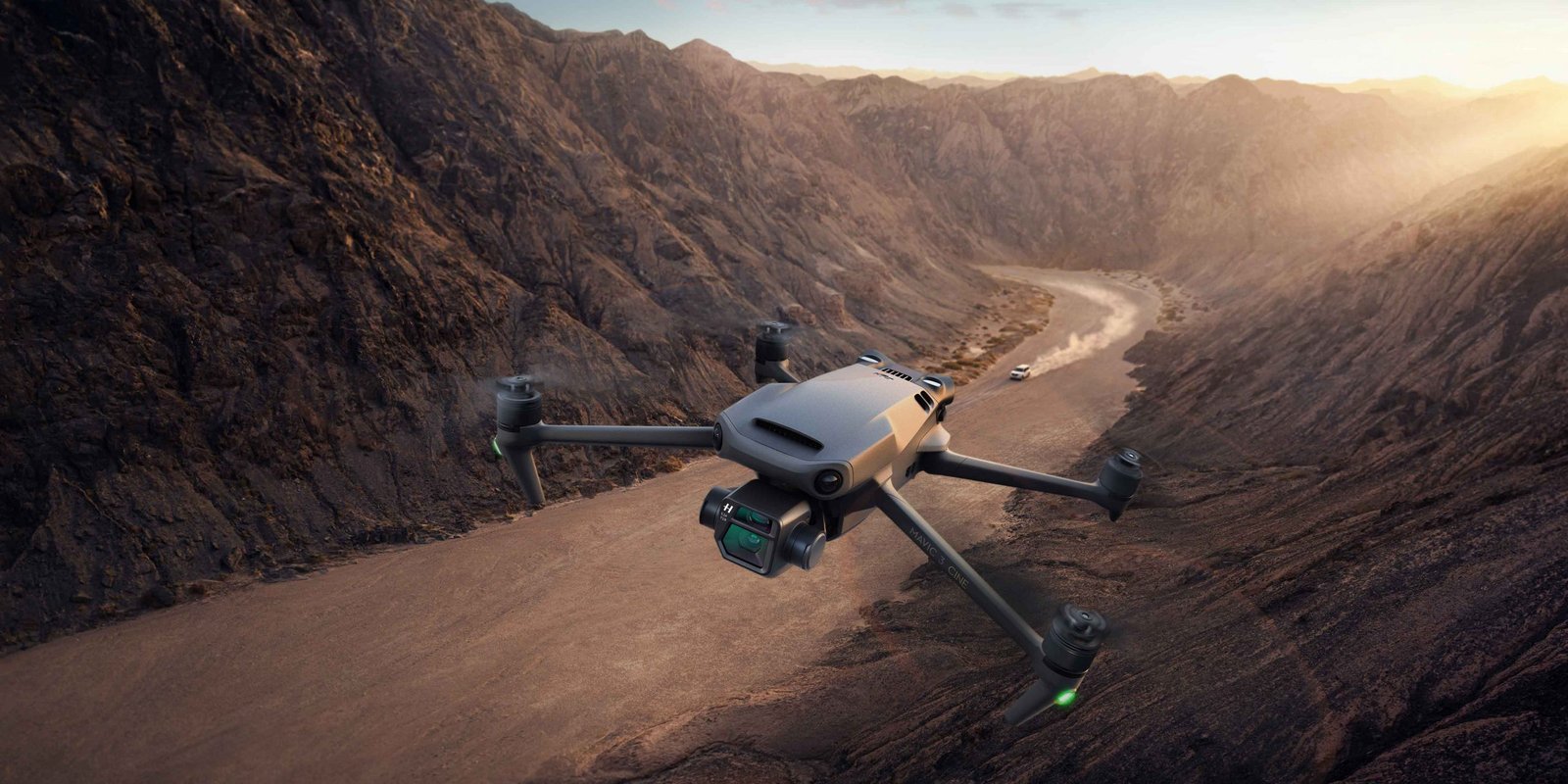
If you’re a drone enthusiast who loves to travel and capture stunning aerial shots, you’ve probably noticed the rules have gotten a lot more complicated in the last few years. Between mandatory Remote ID enforcement in the US, the UK’s new class-marking system, and the EU’s transition deadlines finally kicking in, “just check the local laws and go” isn’t good enough advice anymore.
In this post I’ll walk you through everything you need to prepare before departure, what to do during the trip, and what to check once you land — including the regulatory changes that have landed since this guide was first written.
Before Departure
1. Check the drone laws of your destination country
Rules vary enormously by country, and some ban drones outright or require advance permits. Don’t wing it — use my interactive drone laws map to check registration requirements, no-fly zones, and permit rules for over 100 countries before you book anything.
2. Understand Remote ID — this is the biggest change since 2023
Remote ID is essentially a digital license plate for your drone: it broadcasts your drone’s ID, GPS position, altitude, and take-off location so it can be picked up by law enforcement or nearby smartphones. It used to be optional to think about. It no longer is.
- United States: Remote ID enforcement has been in full effect since March 16, 2024. Almost every drone requiring registration (generally anything over 250g) must broadcast Remote ID via a built-in module, a retrofit broadcast module, or by flying only inside an FAA-Recognized Identification Area (FRIA). Fines for non-compliance can run into the tens of thousands of dollars per violation.
- European Union: Since January 1, 2024, all C1, C2, and C3 class drones must broadcast Remote ID. More importantly, the transition period for older “legacy” drones without a C-class marking ended on December 31, 2025 — as of 2026, unmarked legacy drones can only fly in the most restrictive subcategory (A3, far from people), regardless of how light they are.
- United Kingdom: The UK CAA introduced its own class-marking system (UK0–UK4, mirroring the EU’s C0–C4) starting January 1, 2026, and lowered the drone registration threshold from 250g to 100g on the same date. If your drone doesn’t carry a UK class mark, it’s now treated as “legacy” with reduced operating privileges.
What this means practically: check your drone’s specific model against your destination’s Remote ID/class-marking requirements before you fly, not after you land. Most DJI drones released since 2022 have built-in Remote ID; older models may need a firmware update or an add-on module.
3. Check airline policies on drones and batteries
Airlines vary in whether drones must go in carry-on or can be checked, so confirm this directly with your airline before departure. Battery rules are more standardized and haven’t changed:
- Batteries under 100 watt-hours (Wh) — no special approval needed, but must be in carry-on, not checked luggage.
- Batteries between 100–160 Wh — need airline approval in advance, typically limited to two spares per passenger.
- Batteries over 160 Wh — not permitted on passenger aircraft at all.
You can calculate a battery’s Wh by multiplying voltage (V) by amp-hours (Ah); this is usually printed on the battery itself. For more detail on packing spare batteries and power banks, see my guide to bringing power banks on flights.
4. Check customs requirements
Some countries require you to declare your drone at customs, pay a duty, or apply for a temporary import permit — this is separate from flight-permit requirements. My drone laws map flags countries with notable customs or import restrictions, but when in doubt, check the destination country’s civil aviation authority directly, since customs enforcement can vary by point of entry.
5. Complete registration ahead of time
Register your drone with your home country’s aviation authority (the FAA, EASA/your national authority, or the UK CAA) before you leave — most registrations now take a Remote ID or class-mark serial number as part of the process, so this isn’t a same-day task. Some destination countries also require a separate local registration or operator permit for visiting drone pilots, which is worth checking a few weeks out, not the night before your flight.
During the Travel
- Power everything down completely. Turn off the drone and disconnect or remove the battery to prevent accidental activation in transit.
- Protect your gear. Use a dedicated drone case or padded pouch, and cover battery terminals with tape or terminal caps to prevent short circuits. For general advice on packing electronics safely, see my guide to packing electronics in your luggage.
- Pack it in carry-on. This keeps it out of rough cargo handling and under your control — though double-check your airline’s specific policy, since a few do allow checked drones.
- Tell the airline staff at check-in that you’re carrying a drone; some will issue a clearance note that’s handy for customs or security later.
- Declare it at the security checkpoint and be ready to remove it and its batteries for separate screening. This is routine.
- Be a good ambassador for the hobby. Don’t fly inside airports or near aircraft, and follow crew instructions without argument.
At the Destination
- Check local weather and airspace restrictions before you fly. Wind, rain, and fog aren’t just annoying — they affect GPS reliability and control range. Use apps like B4UFLY (US), Drone Assist, or your destination’s national airspace app to check restricted zones near airports, military sites, and protected areas.
- Do a test flight somewhere low-stakes to confirm GPS lock, battery health, and camera function before you commit to your planned shot.
- Fly within the local rules for your subcategory. In the US and much of Europe, where you’re allowed to fly now depends on your drone’s specific class or Remote ID status — not just its weight, as it used to. As a general baseline, wherever you are:
- Keep your drone within line of sight at all times.
- Stay below 400 feet (120 meters) above ground level.
- Keep at least 150 feet (50 meters) from people, buildings, vehicles, or animals unless your drone’s class and local rules explicitly permit closer operation.
- Never fly over crowds, stadiums, or emergency situations.
- Stay well clear of airports and military or security installations.
- Never fly under the influence of alcohol or drugs.
- Respect people’s privacy and property rights.
These are general defaults, not a substitute for checking your destination’s actual rules — which is exactly why I built the interactive drone laws map in the first place. Regulations are shifting fast right now (the EU and UK both overhauled their systems within the last year), so it’s worth a five-minute check even for countries you’ve flown in before.
Adrenaline junkie with a passion for exploring off-the-beaten-path destinations and finding unique ways to stay active. Expect stunning scenery, challenging workouts, awesome travel tips and a whole lot of fun. Let’s get sweaty and explore the world together!